How do I update my account information?
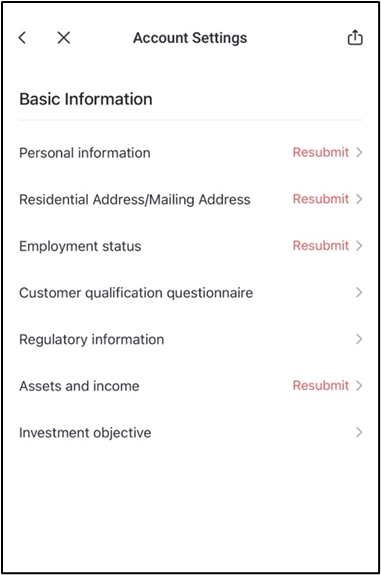
You can update the following account information yourself:
- Personal information (first and last name, SSN, marital status, number of dependents)
- Address (residential and mailing)
- Employment status
- Professional/non-professional questionnaire
- Regulatory information
- Financials (net worth, income, investment experience)
- Investment objectives
To update this information, please follow these steps:
1. Go to Portfolio > More.
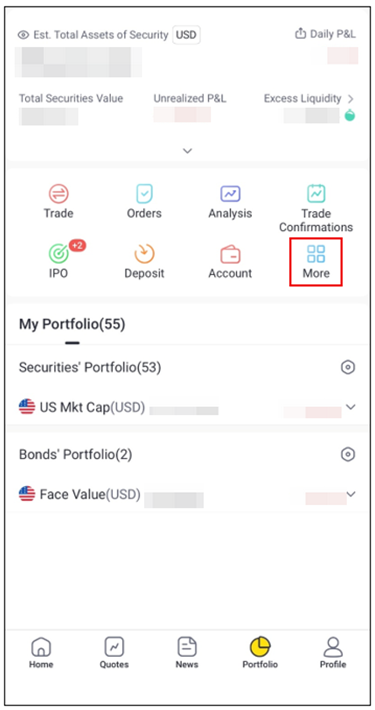
(Pro Version)
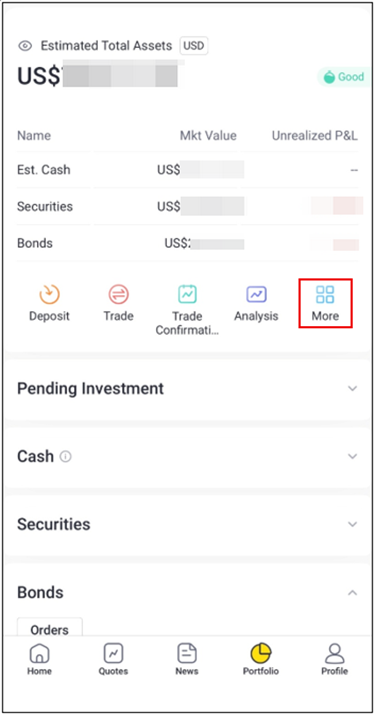
(Lite Version)
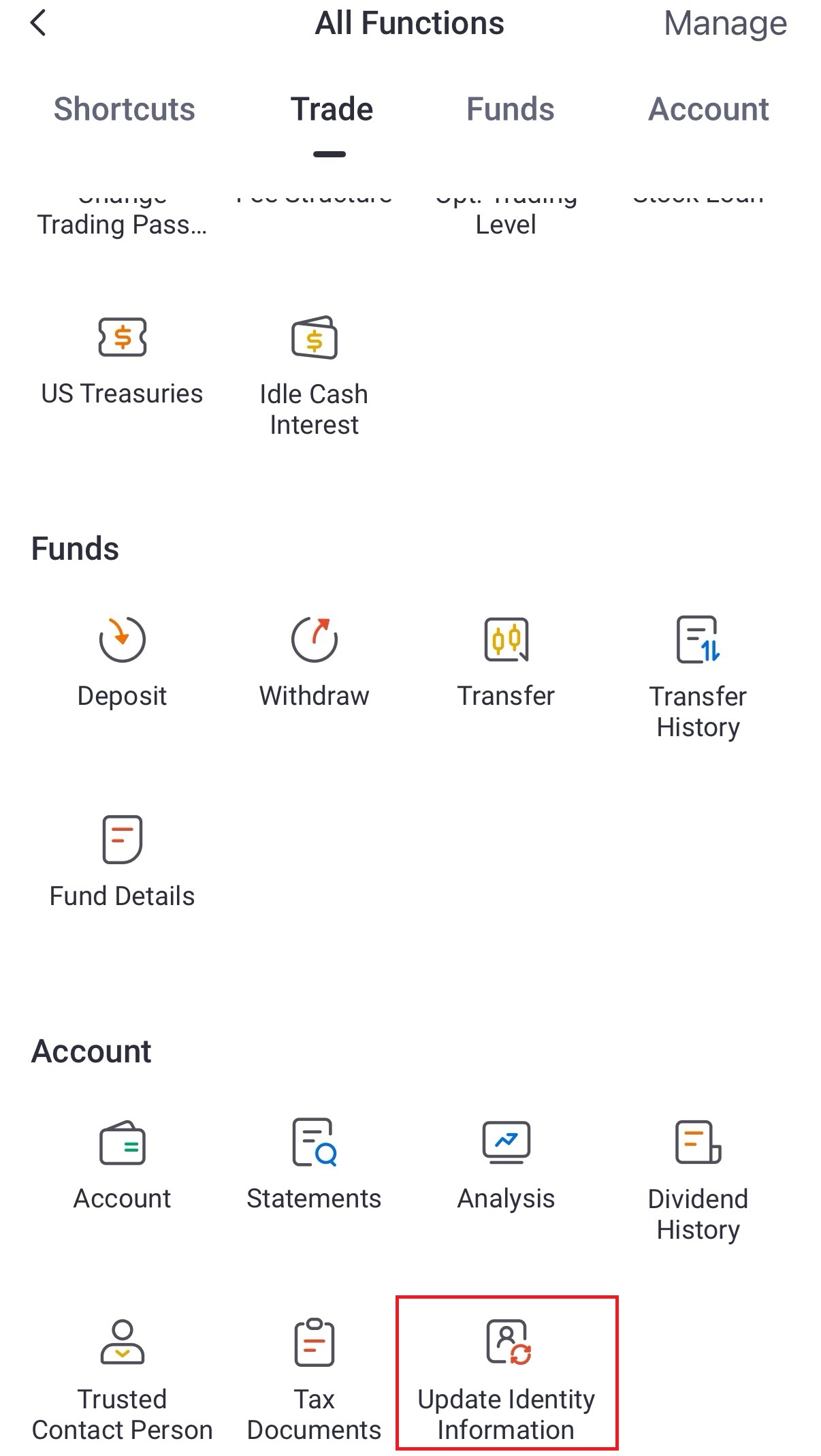
2. Select Update Identity Information.
3. Select the category of information you would like to update.
Your changes are subject to compliance review and will be approved in 1-2 business days if supporting documents (when required) are sufficient.
Still got questions? Contact TradeUP Customer Support by email at support@tradeup.com or reach out to us on Live Chat!
Last updated: