Taxes and Account Statements
TradeUP Account Statements
Where can I view my statement(s)?
Customers can view their statements electronically directly on the TradeUP app or on our website.
E-Statements are usually posted on the 3rd business day of each month.
Do I receive a statement every month?
Accounts with assets (cash and/or positions) will receive their statement monthly or quarterly.
- Monthly if the account generated any activity (trades, transfers, dividends, interest, etc.).
- Quarterly if there are no activities.
Accounts with no assets (zero balance) will receive their last statement for the month their balance reaches zero. Accounts with zero balance will not receive statements until there is a balance on their account.
Still got questions? Contact TradeUP Customer Support by email at support@tradeup.com or reach out to us on Live Chat!
TradeUP Tax Forms
What Tax Forms does TradeUP provide?
TradeUP issues Form 1099 Composite for U.S. tax residents with a reportable tax event.
- Form 1099 Composite includes all the form(s) applicable if there was a reportable tax event. It may include: 1099-B, 1099-INT, 1099-DIV, 1099-OID, 1099-MISC.
- If you did not have a reportable tax event for the year, you will not receive a tax form.
Non-US tax residents will receive a Form 1042-S.
Where can I view my Tax Form(s)?
Please click here to learn how you can view your Tax Form(s).
Please click here to download your Tax Form(s).
Please note that Form 1099 Composite is generated in mid-February of each year, while Form 1042-S is generated in mid-March of each year.
If your TradeUP account is closed, please contact us at support@tradeup.com or via Live Chat.
Error(s) on my Tax Form
If you believe your Tax Form contains inaccurate information, please contact us at support@tradeup.com or via Live Chat.
Still got questions? Contact TradeUP Customer Support by email at support@tradeup.com or reach out to us on Live Chat!
Where can I view my Tax Form(s)?
You can access your tax documents on the TradeUP platform by following these steps.
On the TradeUP website:
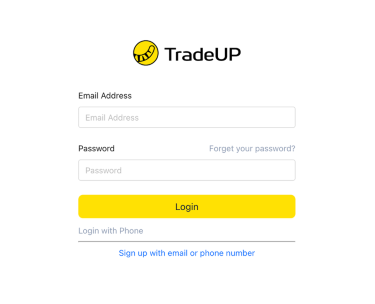
1. Log into your account on TradeUP here.
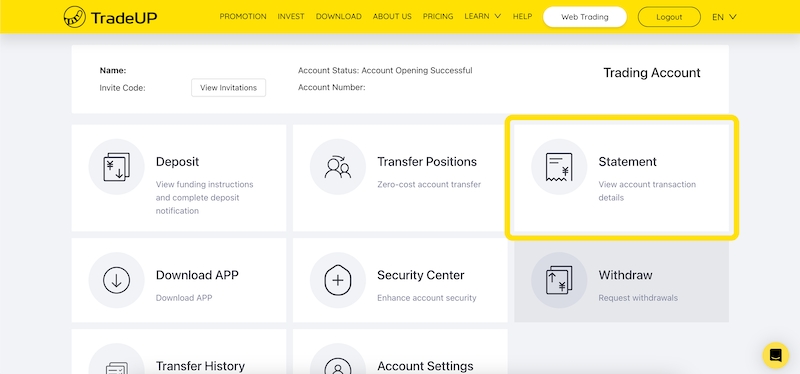
2. Navigate to the Statement page.
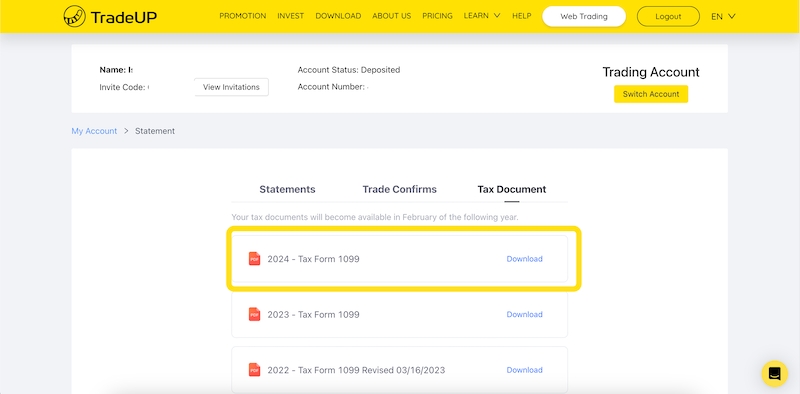
3. Navigate to the Tax Document tab in order to access and download your tax form.
On the TradeUP app:
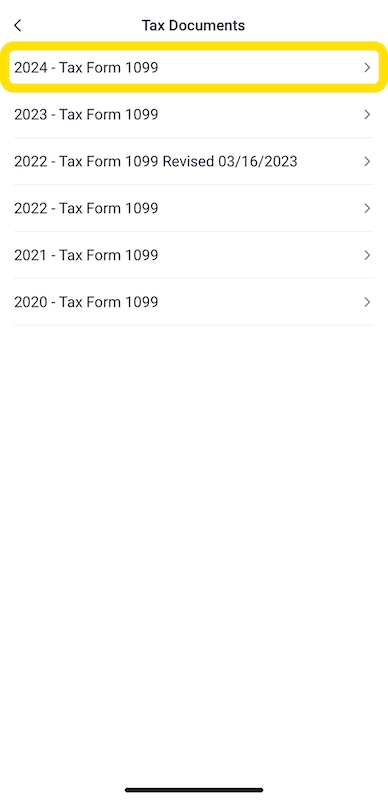
1. In your TradeUP app, navigate to the TradeUP Account icon on your profile page.

2. Navigate to the Tax Documents icon.
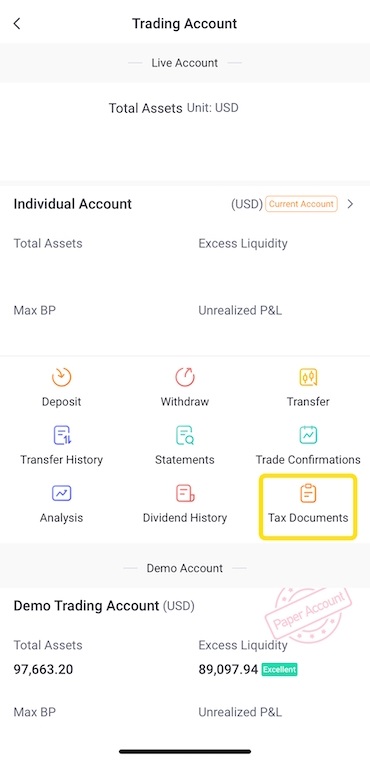
3. Access and download the relevant tax form.
Error(s) on my Tax Form
If your TradeUP account is closed, or you believe your Tax Form contains inaccurate information, please contact us at support@tradeup.com or via Live Chat.
Still got questions? Contact TradeUP Customer Support by email at support@tradeup.com or reach out to us on Live Chat!
TurboTax Direct Import
TradeUP now supports direct import into TurboTax! You can securely access and transfer your tax documents directly into TurboTax without manually uploading files.
Once you have downloaded the tax forms for the relevant tax year, follow these steps to access them in TurboTax:
1. Open TurboTax and log in to your Intuit/TurboTax account.
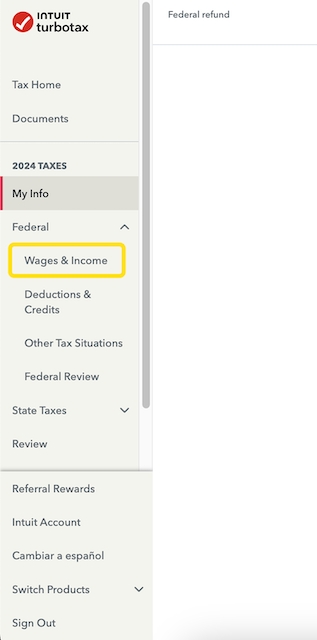
2. Navigate to Federal Taxes > Wages & Income.
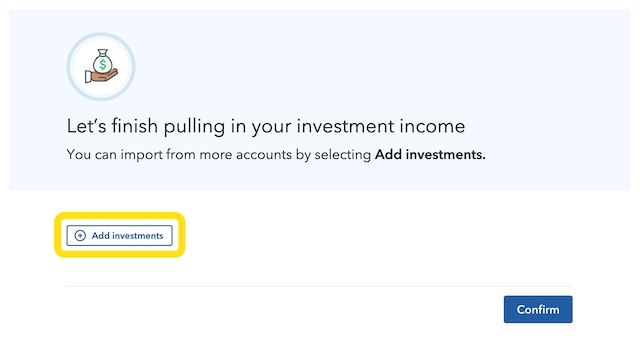
3. Select Add investments.
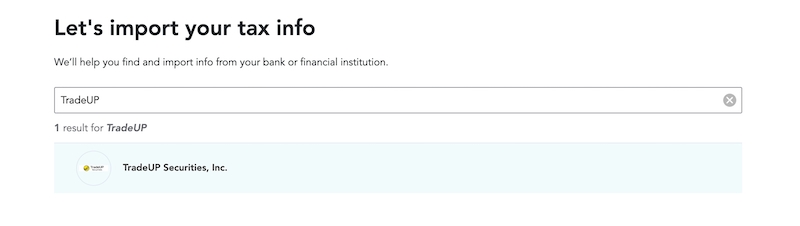
4, When prompted to connect to your financial institution, enter TradeUP in the search bar. Select TradeUP Securities, Inc. from the list.
5. Input your TradeUP Account Number. Your Document ID can be found in the top righthand corner of your Form 1099 Composite.
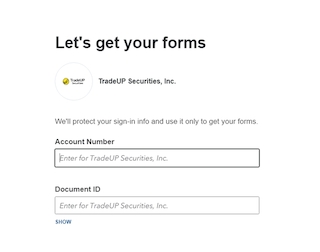
6. After submitting this information, TurboTax will automatically import your tax data, and you can then proceed with the tax filing process!
If you have any other questions, please contact TradeUP Customer Support by email at support@tradeup.com or reach out to us on Live Chat!